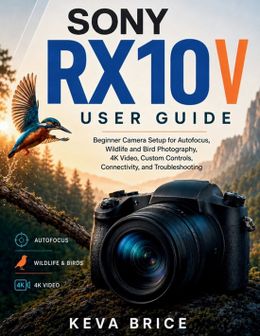
Are you looking for a practical way to understand your camera without working through confusing settings and menus?Sony RX10 V User Guide is designed to help beginners and everyday photographers set up the camera, understand its controls, and apply its major photography and video features in real shooting situations.Rather than simply listing menu options, this guide explains what important settings do, when to use them, and how they affect the final result.Inside, you'll learn how to: - Set up the camera, battery, memory card, displays, and essential shooting options- Configure autofocus, Focus Areas, subject recognition, and tracking- Photograph wildlife, birds in flight, sports, people, landscapes, travel scenes, and close-up subjects- Control shutter speed, aperture, ISO, metering, exposure, and low-light shooting- Use the 24-600mm zoom effectively and reduce blur at long focal lengths- Record 4K video, slow and quick motion, and manage stabilization and storage- Configure video autofocus, Creative Looks, Picture Profiles, S-Log3, LUTs, and audio- Customize buttons, Fn menus, and shooting presets- Connect with Creators' App, transfer images, use remote shooting, cloud and desktop tools, and USB streaming- Diagnose common focus, exposure, recording, card, and connection problemsThis guide focuses on practical camera setup, photography, video recording, customization, connectivity, and troubleshooting. It does not replace Sony's official documentation, provide camera repair instructions, or guarantee specific photographic results.If you want a structured reference for getting more comfortable with your camera and building reliable shooting workflows, this guide is designed to help you move from setup to confident everyday use.
Disclaimer: This independently published user guide is intended for educational and informational purposes only. It is not an official Sony publication and is not sponsored, authorized, endorsed by, or affiliated with Sony Corporation.